Every feature is in every plan
This page is everything Authalla does. None of it is locked to a higher plan; the plans differ only in how much support you get.
Built and run in Europe
Authalla is a Finnish company with no US parent. Your users' identity data is stored on EU-owned servers in Finland and is not subject to US jurisdiction. See the proof
- EU-owned.
- Authalla Oy is a Finnish company owned by its founders, with no US parent and no outside investors.
- EU-hosted.
- The servers and the database run in Helsinki, at Hetzner, a German hosting company.
- EU-operated.
- We run the service ourselves from Finland. Sign-in emails go out through Brevo, a French company.
- Every company named.
- The subprocessors page lists each company involved, what it does and where its parent sits.
Set up by your coding agent
Point Claude Code, Codex, VS Code or Zed at the Authalla MCP server and let it run the setup: your tenant, apps, domains and theme. Enterprise SSO and SCIM are set up in the dashboard.
- An MCP server for setup.
- Your agent can manage tenants, apps, custom domains and emails, social logins, the theme, users and your team.
- No API key to paste.
- The agent signs you in through your browser. If you don't have an account yet, that first sign-in creates one.
- An agent skill.
- Teaches your coding agent how to add Authalla sign-in to your app, whatever framework it uses.
Beta
Sign-in for your own MCP server
Build your MCP server or API however you like and let Authalla handle who gets in. Your users sign in with Authalla to connect AI agents such as Claude and ChatGPT to your server, approve what each agent may do, and your server checks one standard access token.
- Register your server, name its scopes.
- Add your MCP server or API as a resource server with its URL and a prefix, and define scopes such as crm:read and crm:write. Authalla issues them only in tokens for that server.
- You decide who holds which scope.
- Grant a scope to individual users from the dashboard or the Application API, or to every user of the tenant. A scope the user doesn't hold never reaches the token or the consent screen.
- The user approves every agent.
- Agents identify themselves with a Client ID Metadata Document, so there is nothing to pre-register. Each one goes through a consent screen that lists what it asks for in plain language.
- Standard tokens your server can check.
- Access tokens are RFC 9068 JWTs audienced to your server alone, requested with RFC 8707 resource indicators. Verify them against the tenant's published keys with any JWT library.
- Code to paste into your server.
- The dashboard shows your protected resource metadata and ready-made TypeScript and Python token checks for the official MCP SDKs, filled in with your server's details.
- Revoke an agent's access.
- Every user's Connected apps tab lists the agents they've approved. Revoke one and a server that checks tokens with Authalla refuses it on its next call. A server that checks tokens locally refuses it once its token expires.
Enterprise SSO
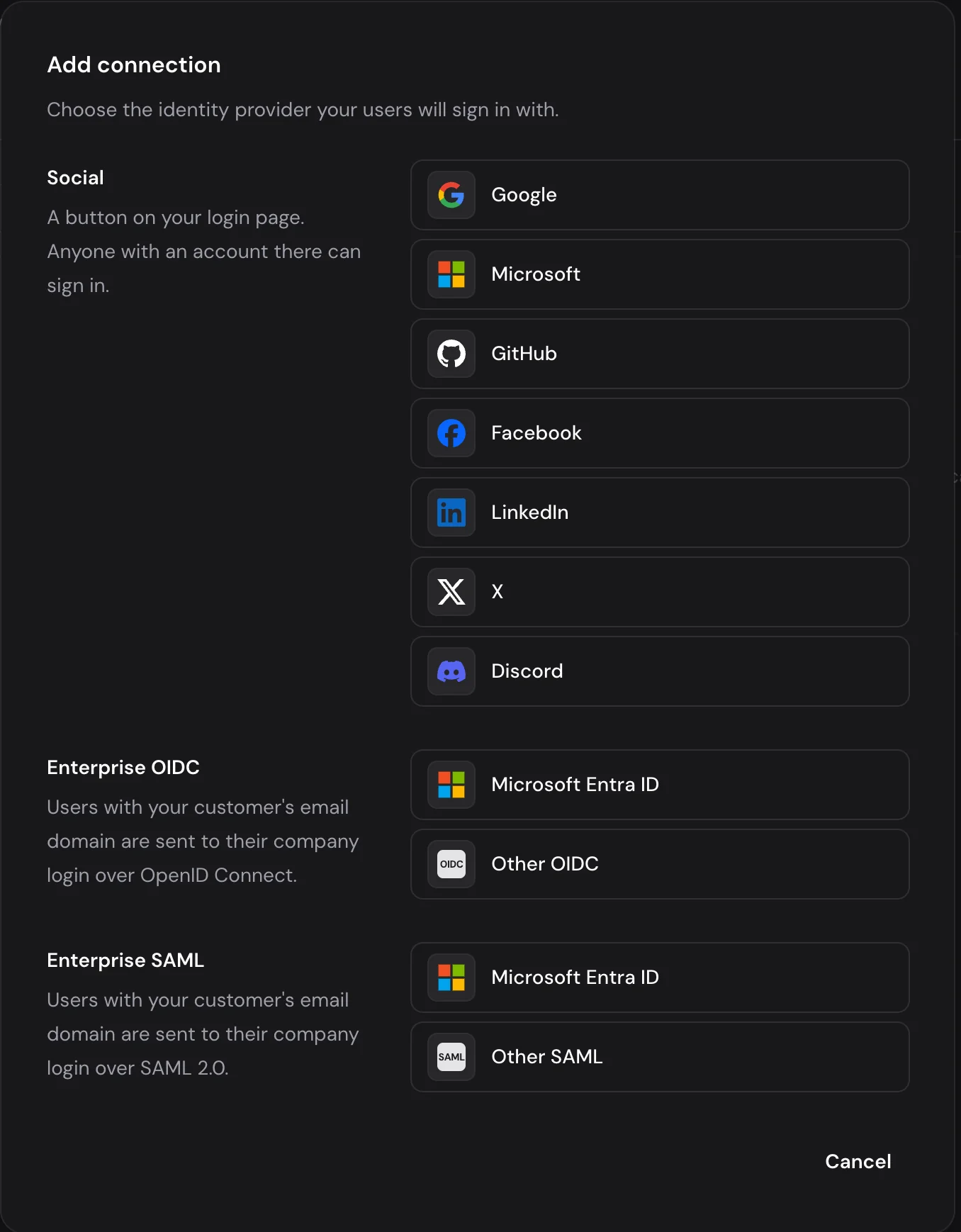
Let your customers' employees sign in with their company account, through Microsoft Entra ID, Okta or any other SAML or OpenID Connect identity provider. Connections are unlimited and priced into the plan, with no per-seat or per-connection fee.
- Microsoft Entra ID
- Okta
- Any SAML
- Any OIDC
- SAML 2.0 and OpenID Connect.
- Microsoft Entra ID has its own setup in the dashboard. Okta and any other identity provider connect over standard SAML or OIDC.
- Unlimited SSO connections.
- Add as many identity providers as your customers need. There is no fee per connection; SSO is part of the plan price.
- Social logins included.
- Google, Microsoft, GitHub, Facebook, LinkedIn, X and Discord, alongside enterprise SSO on the same sign-in page.
- Routing by email domain.
- Users type their email address. If their domain has enterprise SSO set up, we send them to their company's identity provider, so there's no separate SSO button to hunt for.
SCIM provisioning
Your enterprise customers' IT teams manage their people from their own directory. When someone joins, their account is created in your tenant; when they leave, it's deactivated, without anyone filing a ticket. There is no per-connection fee.
- SCIM 2.0 users and groups.
- Users, Groups and Bulk endpoints, with the discovery endpoints identity providers look for.
- Presets for Entra ID and Okta.
- Pick the provider and the attribute mapping is filled in. Anything non-standard can be mapped by hand.
- Standard OAuth2 credentials.
- The identity provider gets its token through the client credentials flow, with scopes that cover SCIM and nothing else.
- Recorded in the audit log.
- Every change a directory pushes is logged alongside your sign-ins and admin changes.
Passkeys, magic links and email codes
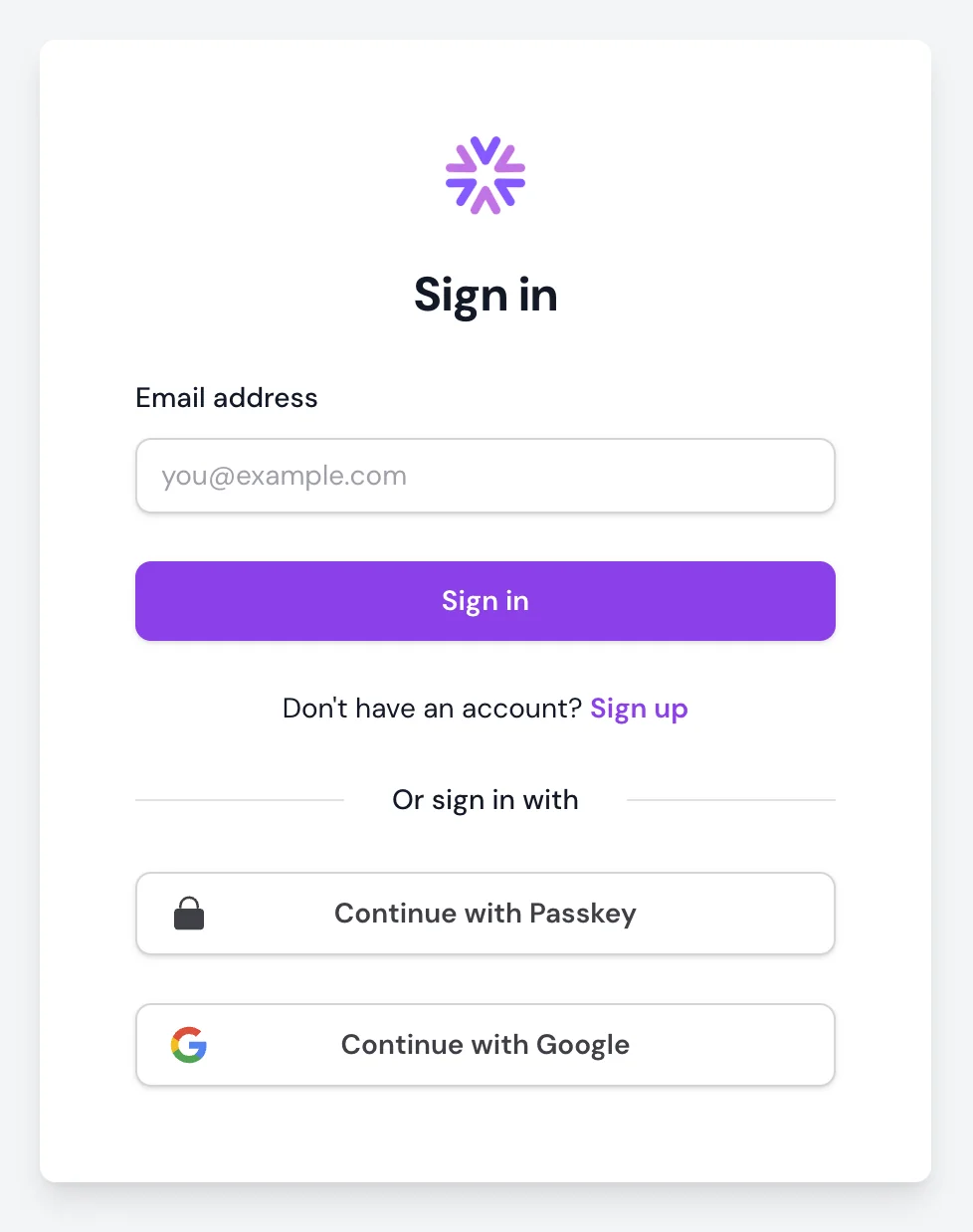
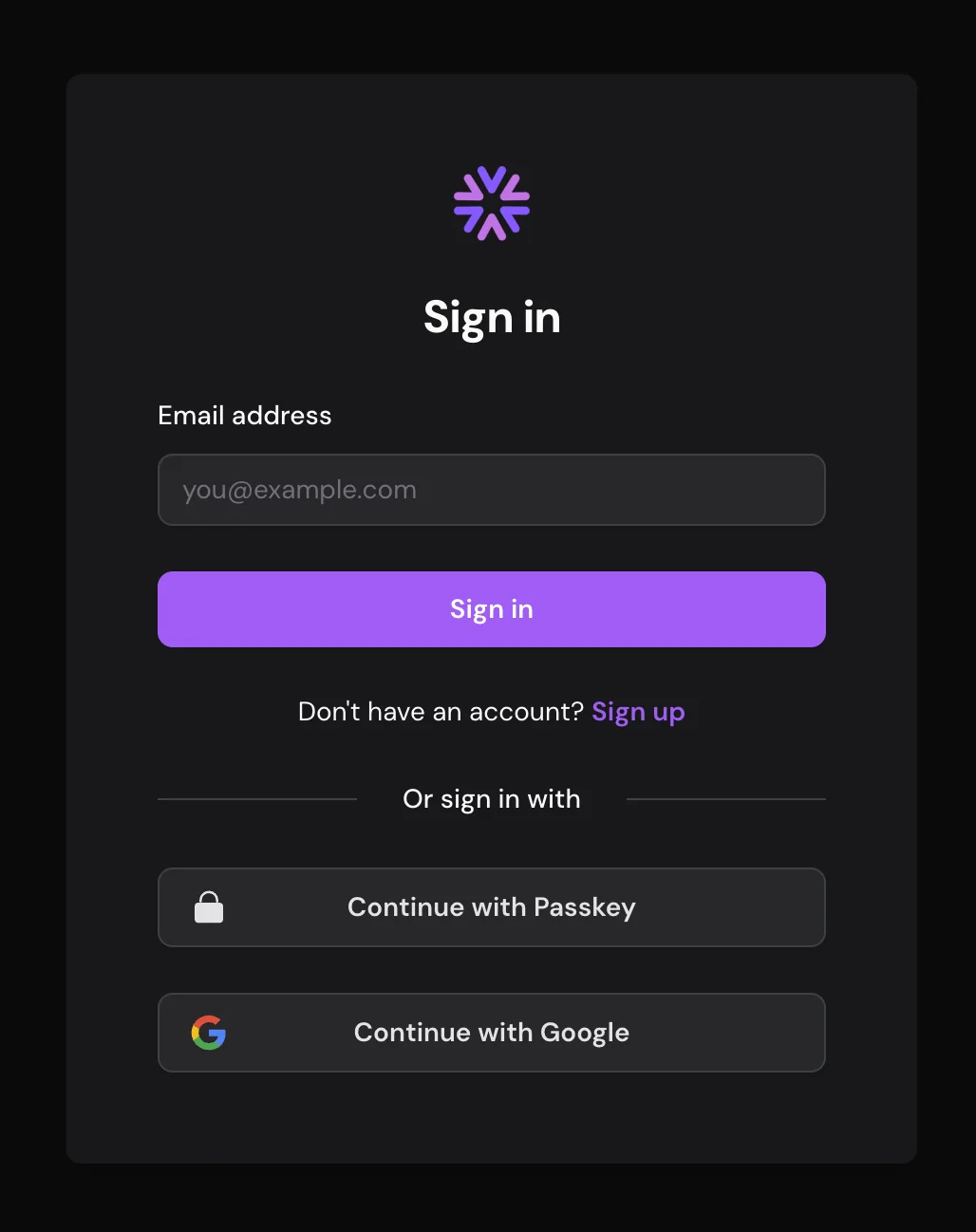
Your users sign in with a passkey, or with a link or code we email them. There are no passwords to leak, reuse or reset, and none for your support team to recover.
- Passkeys first.
- WebAuthn passkeys are the default. The user confirms with the fingerprint, face or PIN that unlocks their device, and they're signed in.
- Magic link login.
- We email a one-time link. Clicking it signs the user in.
- PIN code verification.
- We email a 6-digit code and the user types it in. Handy when the email arrives on a phone and the sign-in is on a laptop.
- No password database.
- There's no password store for an attacker to steal, and your users never have one to reset.
A tenant per customer
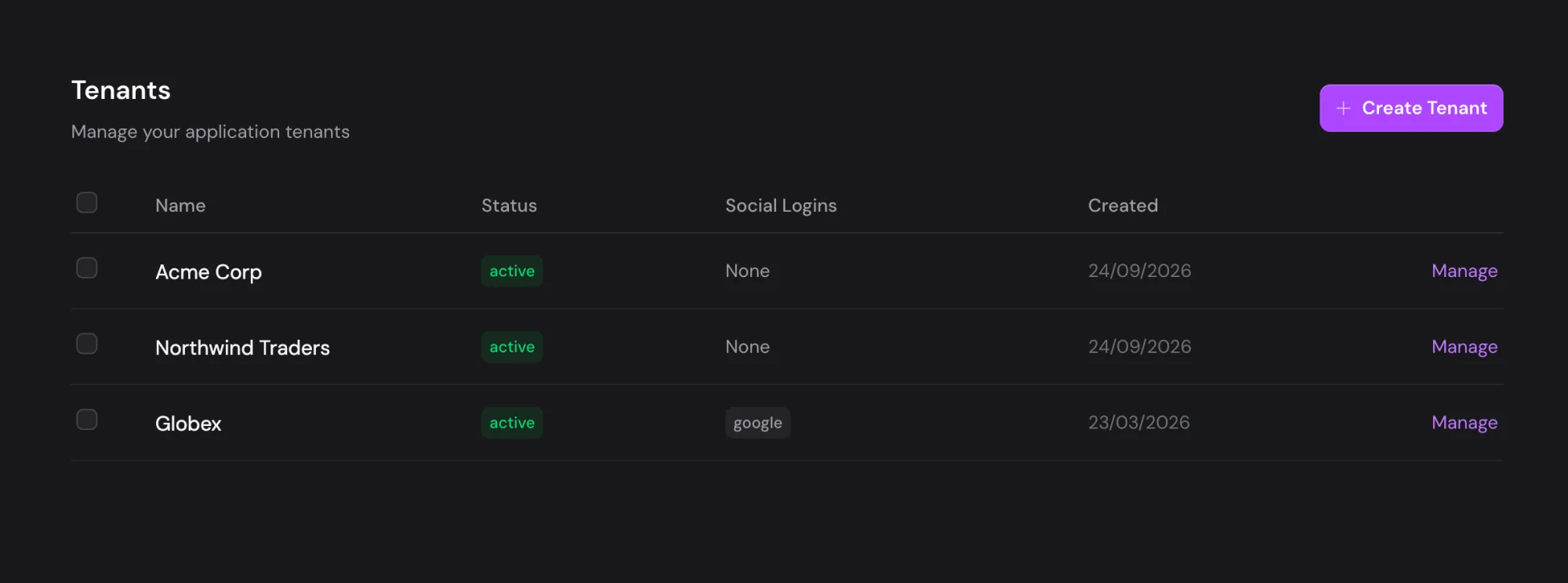
Give each of your customers their own tenant, with its own users, settings, domain and theme.
- Isolated tenants.
- Each tenant has its own users, settings and sign-in configuration, kept apart from every other tenant.
- Separate environments.
- Run development, staging and production as separate tenants, each with its own configuration and users.
- Per-tenant sign-in charts.
- Successful and failed sign-ins for each tenant, by day or hour, split by app and sign-in method.
- Independent branding.
- Each tenant can have its own custom domain and theme.
Every kind of app
Each kind of app uses the standard OAuth2 flow built for it: authorization code with PKCE in the browser, authorization code with a client secret on a server, and client credentials between services. AI agents use the browser flow too, and your users approve each one.
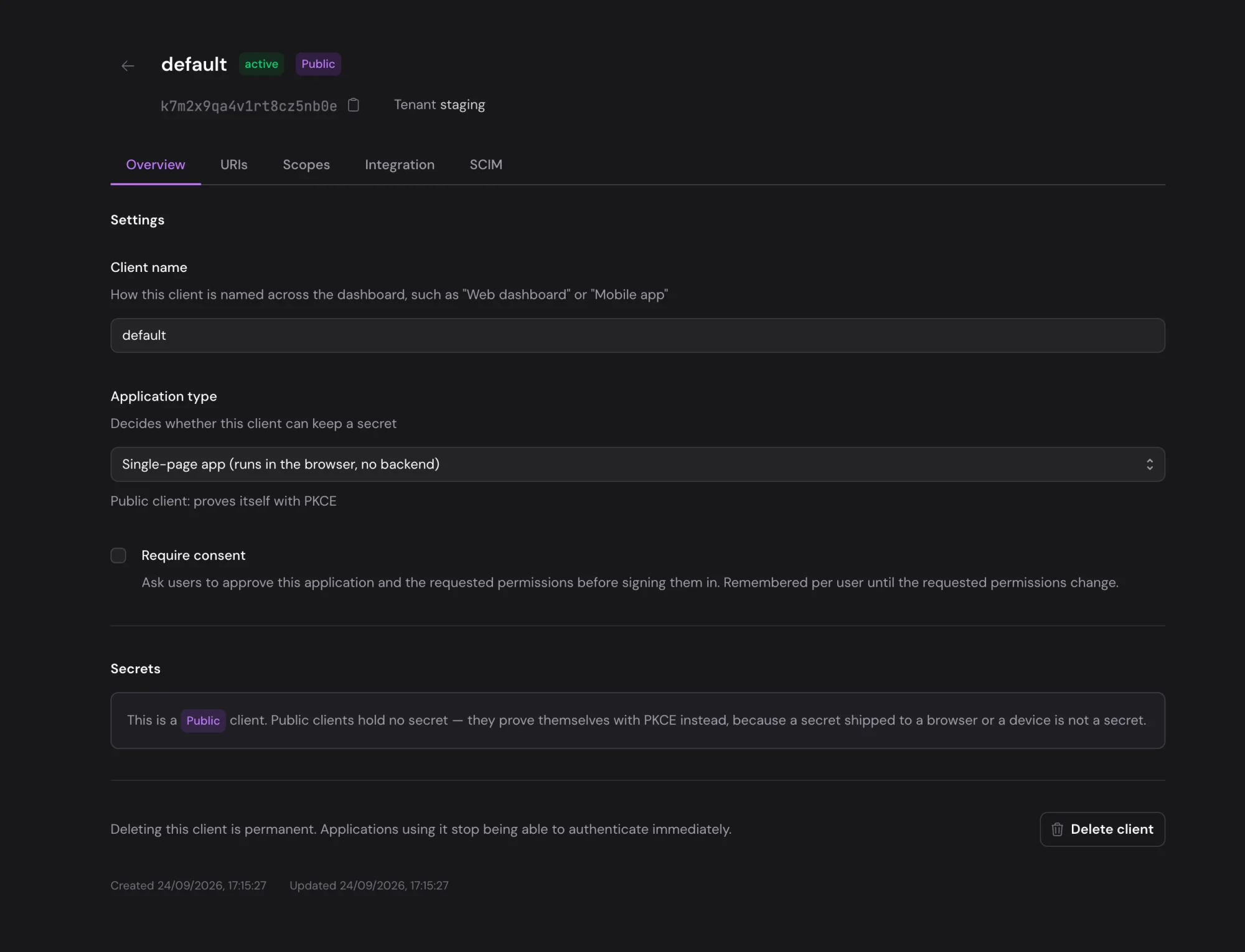
- Single page applications (SPA)
For React, Vue, Angular and other browser apps with no backend of their own. They use the authorization code flow with PKCE.
- PKCE protection
- Silent token refresh
- Web applications
For server-rendered apps built with Next.js, Django, Rails and the like. They use the authorization code flow, with the client secret kept on the server.
- Secure server-side flow
- Client secret protection
- Session management
- Machine-to-machine (M2M)
For backend services and scripts that call an API with no user present. They get tokens through the client credentials flow.
- Client credentials flow
- Service-to-service auth
- Client secret rotation
- AI agents
For Claude, ChatGPT and other agents that connect to your MCP server or API for a user. Each identifies itself with a URL, so there's nothing to register.
- Client ID Metadata Documents
- The user approves each agent
- Tokens only for your server
- Sign-in for your MCP server (beta)
Sign-in hook
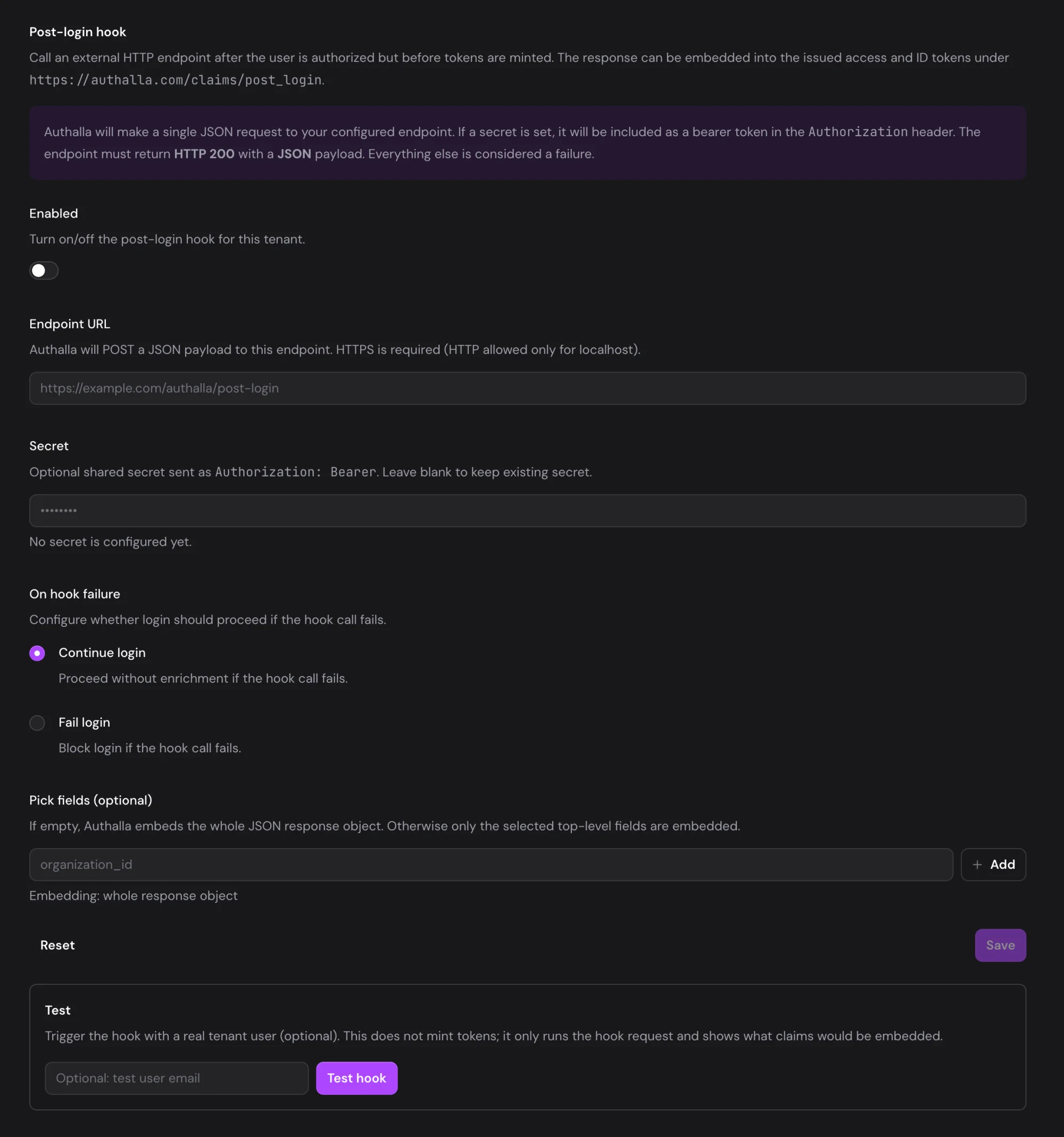
Add roles, plans or your own data to every sign-in. After a user signs in and before tokens are issued, Authalla calls your endpoint, and what it returns goes into the access and ID tokens.
- Your data in the token.
- Look the user up in your own database and return what your app needs. Keep the whole response, or pick the fields.
- You decide what a failure does.
- If your endpoint is down, let the sign-in go ahead without the extra data, or stop it.
- Calls you can trust.
- HTTPS only. Set a shared secret and Authalla sends it as a bearer token, so your endpoint knows the call came from us.
- Test it before you turn it on.
- Run the hook for a real user from the dashboard and see which claims it would add, without issuing a token.
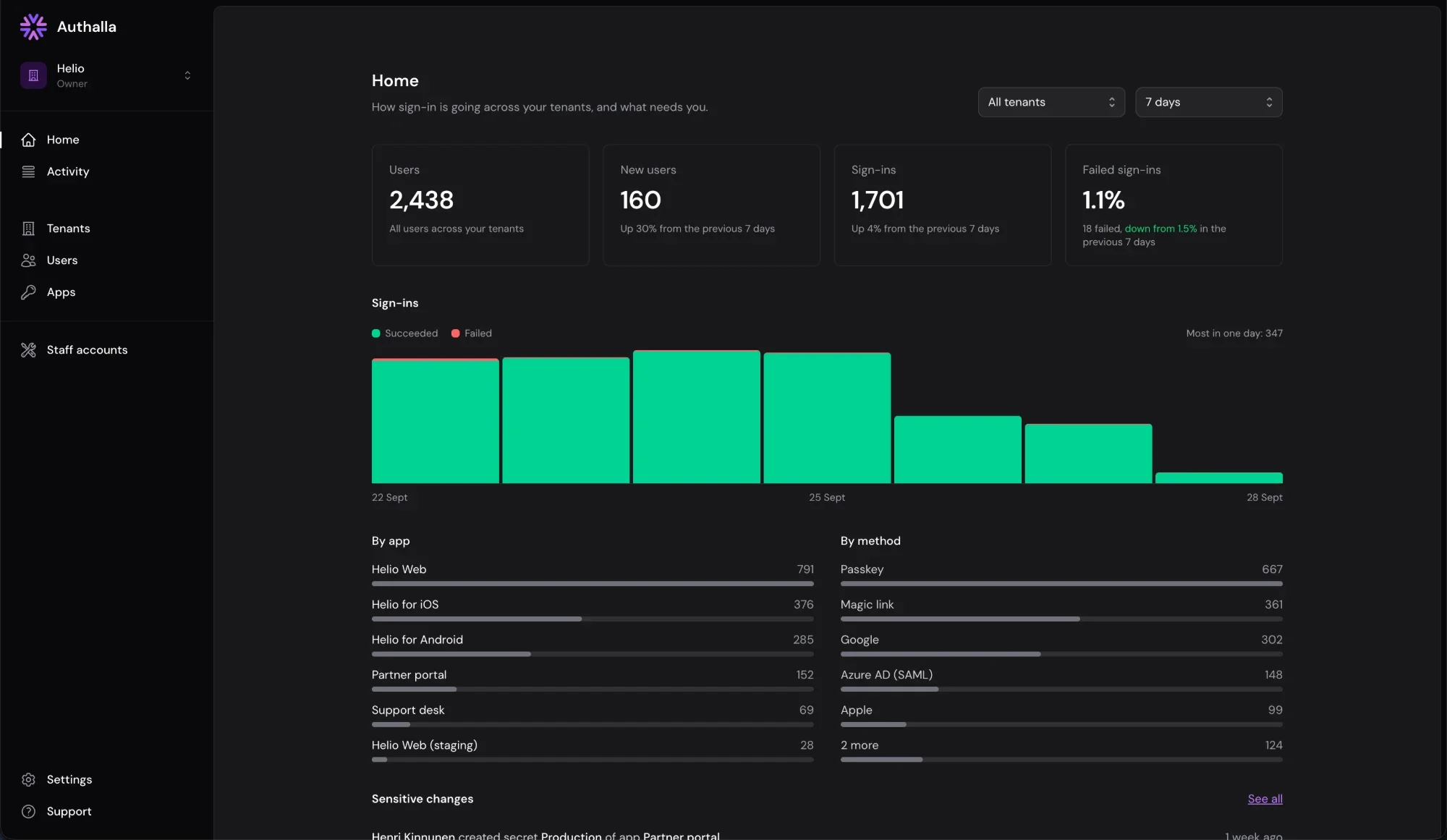
The admin dashboard and audit log
Home shows what needs your attention and how sign-in is going. Activity shows who signed in and what changed, across every tenant.
- Every sign-in recorded.
- The method, app, tenant and user, failed sign-ins with their reason and the email typed, and app errors such as an unregistered redirect URI. Filter by tenant, app, user and outcome.
- Every admin change too.
- Changes made in the dashboard, the Management API or over MCP, naming the team member or API key, with the fields an update changed.
- Every session listed.
- Each user's sessions show how they signed in and on which device.
- Sign users out.
- End one session, all of a user's sessions, or every session in a tenant.
Admin impersonation
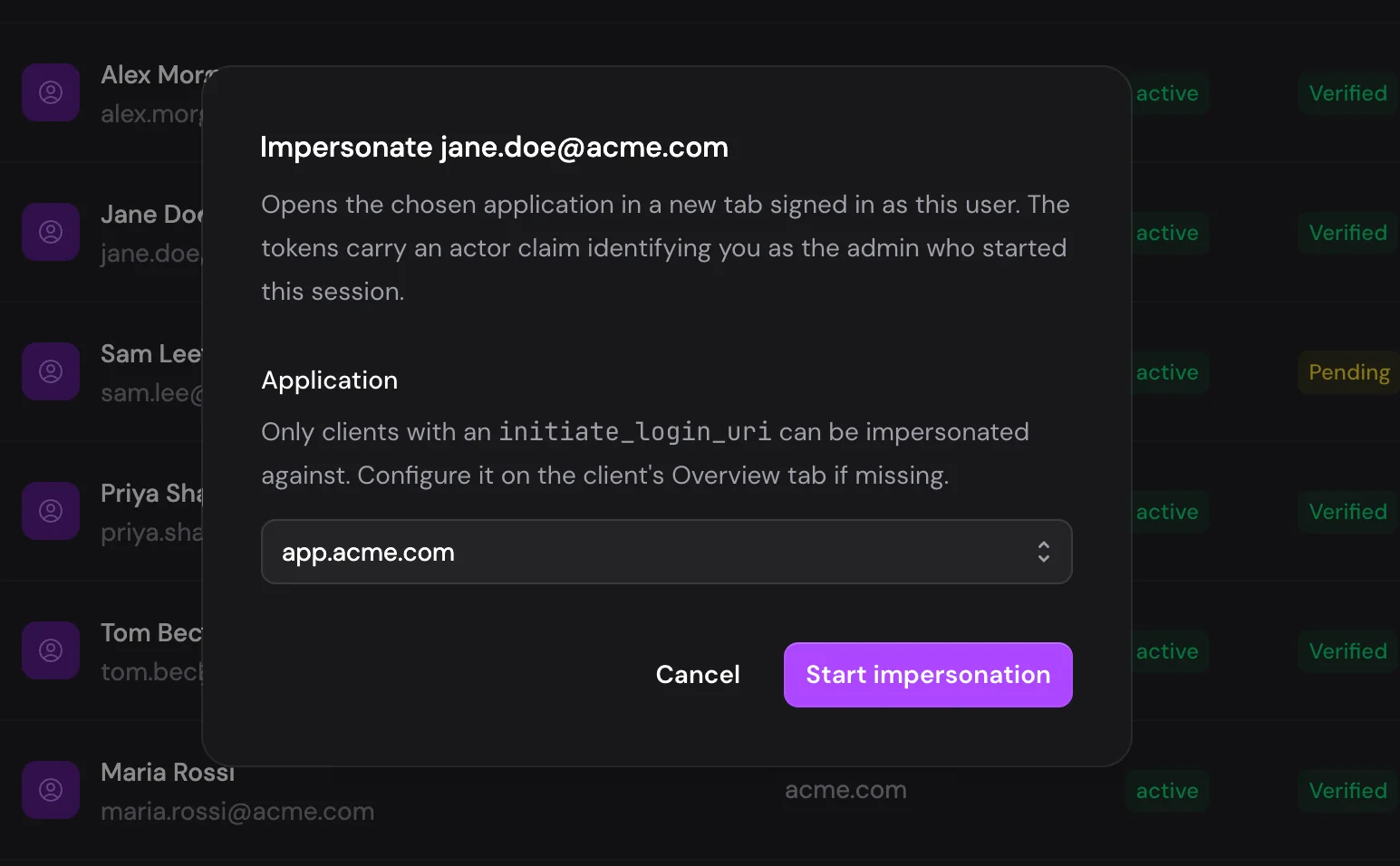
When a user reports a bug, open your application signed in as them and look for yourself instead of booking a screen share. Every impersonation is logged, and the session is short and can't be extended.
- See what the user sees.
- Open your application as that user in a new tab and reproduce the bug there.
- You can always tell who did it.
- Tokens carry an act claim naming the admin, and every impersonation is recorded in the audit log.
- No code changes.
- Authalla starts your application's normal sign-in, so your existing OAuth2 client does the rest.
Account-wide Management API
Manage Authalla from code, like the rest of your stack. One account-wide API key covers tenants, apps, custom domains, custom emails, social logins and themes, all through one REST API.
- Manage your account as code.
- One credential reaches every tenant, and the tenant is always explicit in the URL. Every resource supports create, read, update, delete and list with stable IDs, which is what a Terraform provider or your own scripts need.
- One opaque key, no OAuth dance.
- Send an authalla_ak_… key as a bearer token. It works as-is in a CI secret or a curl call: there's no token endpoint and nothing to refresh.
- Scoped to least privilege.
- Grant each key an explicit set of read and write scopes, with one-click Full access and Read-only presets. Issue an audit or Terraform-plan key that can't mutate a thing.
- Account-wide or tenant-restricted.
- An account-wide key manages every tenant, including ones it creates later. Or lock a key to an allowlist so a team's credential only ever touches their own tenants.
- Revocable and expiring.
- Keys are stored only as hashes and shown exactly once at creation. Revoke a key and it stops working immediately, set an optional expiry, and rotate by issuing a new key alongside the old.
- Every action audited.
- The audit log records which key made each management call, so you can see which key created, changed or removed what.
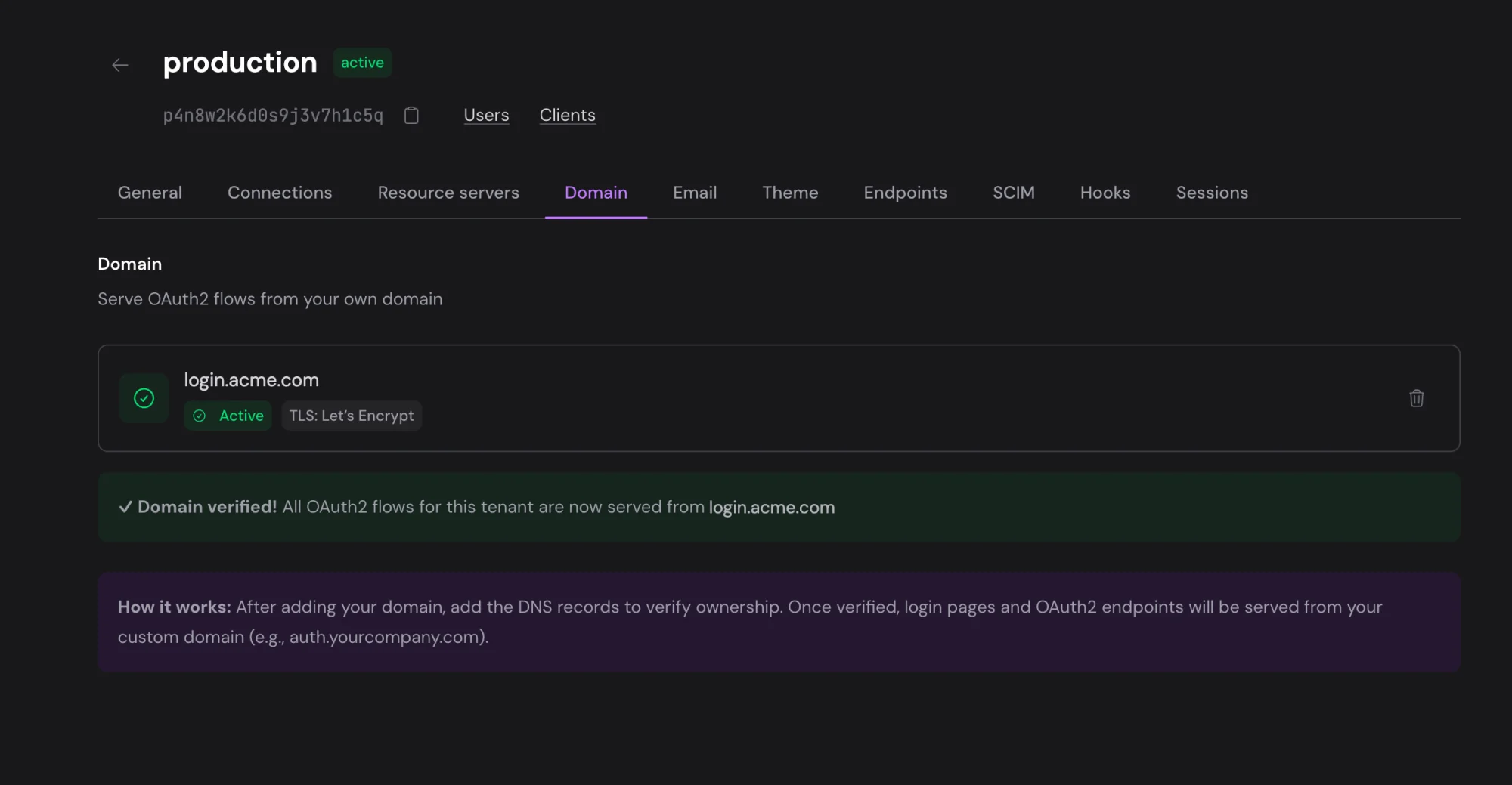
Custom domains
Put the sign-in page on your own domain, so the address your users see in the browser is yours.
- Your own domain.
- Sign-in runs on auth.yourdomain.com instead of yourdomain.authalla.com.
- Automatic SSL certificates.
- We issue and renew SSL certificates for your custom domains through Let's Encrypt.
- DNS setup.
- You add a CNAME record. The dashboard tells you what to enter and checks that it's in place.
- Per-tenant domains.
- Each tenant can have its own custom domain, so each of your customers can have sign-in on their own address.
Custom email domains
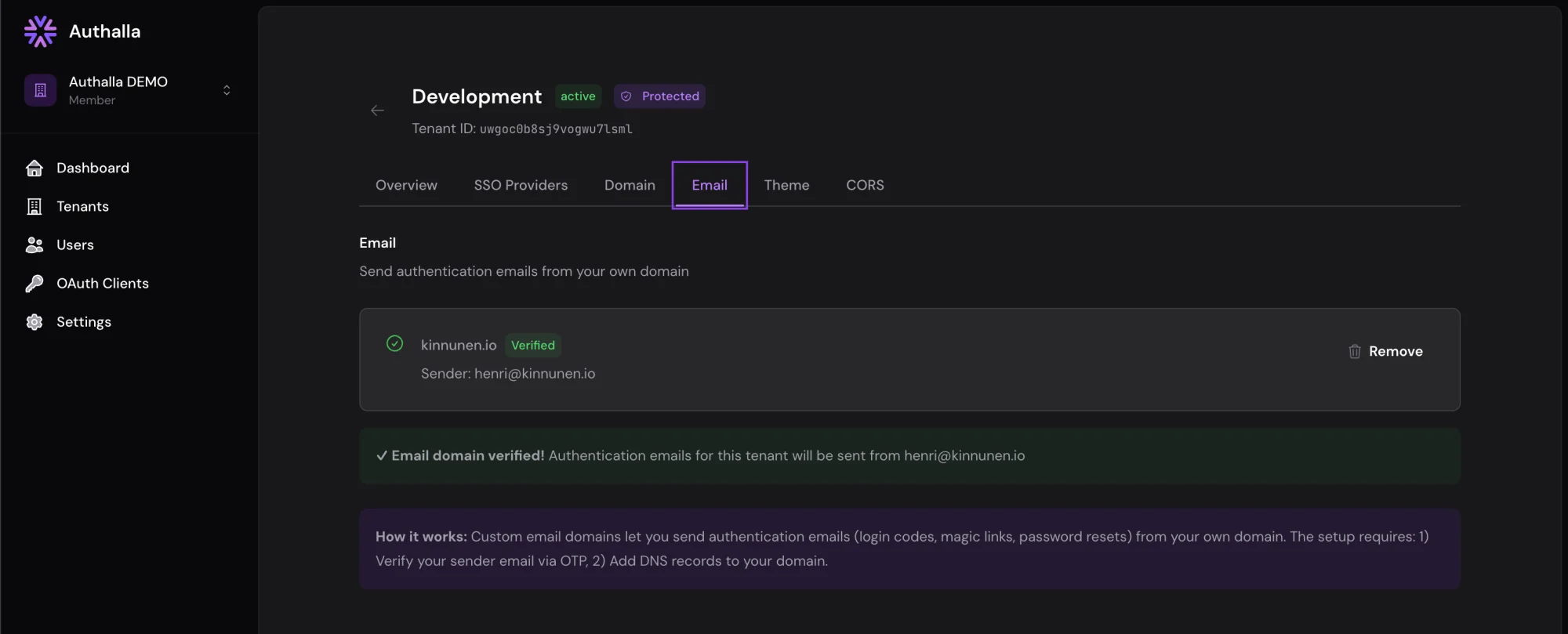
Send authentication emails from your own domain, so they arrive looking like you and land in the inbox more often.
- Send from your domain.
- All authentication emails come from noreply@yourdomain.com instead of noreply@authalla.com.
- Better deliverability.
- With SPF and DKIM set up on your own domain, your emails are less likely to be flagged as spam.
- Multiple domains.
- Each tenant can send from a different email domain, which suits companies with several brands.
- Verified domains.
- Emails only go out from a domain once you've verified it, so your users can trust where they came from.
Custom theming
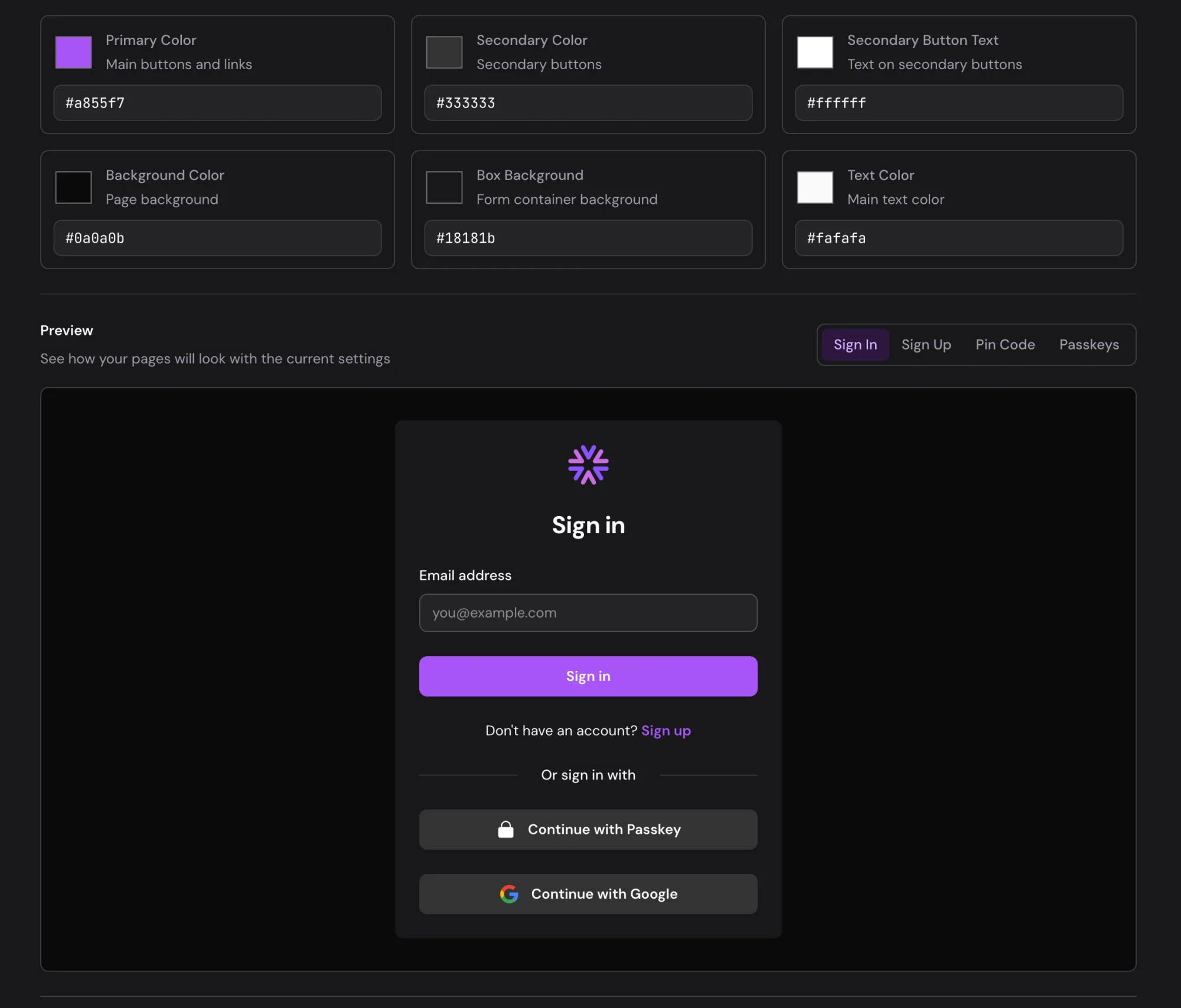
Make the sign-in pages look like your product. The theme editor is deliberately small: set your colors, upload your logo, and you're done in about 2 minutes.
- No templates to build.
- There's nothing to compile or install. You change settings in the dashboard and publish.
- Colors and logos.
- Set your brand color, backgrounds, font and corners, and upload your logo and tab icon.
- Light and dark themes.
- Set separate colors for light and dark mode. The sign-in page follows the user's system setting.
- Preview tabs.
- See your changes on the sign-in, sign-up and code screens before you publish.
- Per-tenant themes.
- Each tenant can have its own theme, so each of your customers' sign-in pages can carry their brand.
Try it free for three months
Every feature, no user limit, then pick a plan. Or connect the MCP server and let your agent set it up.